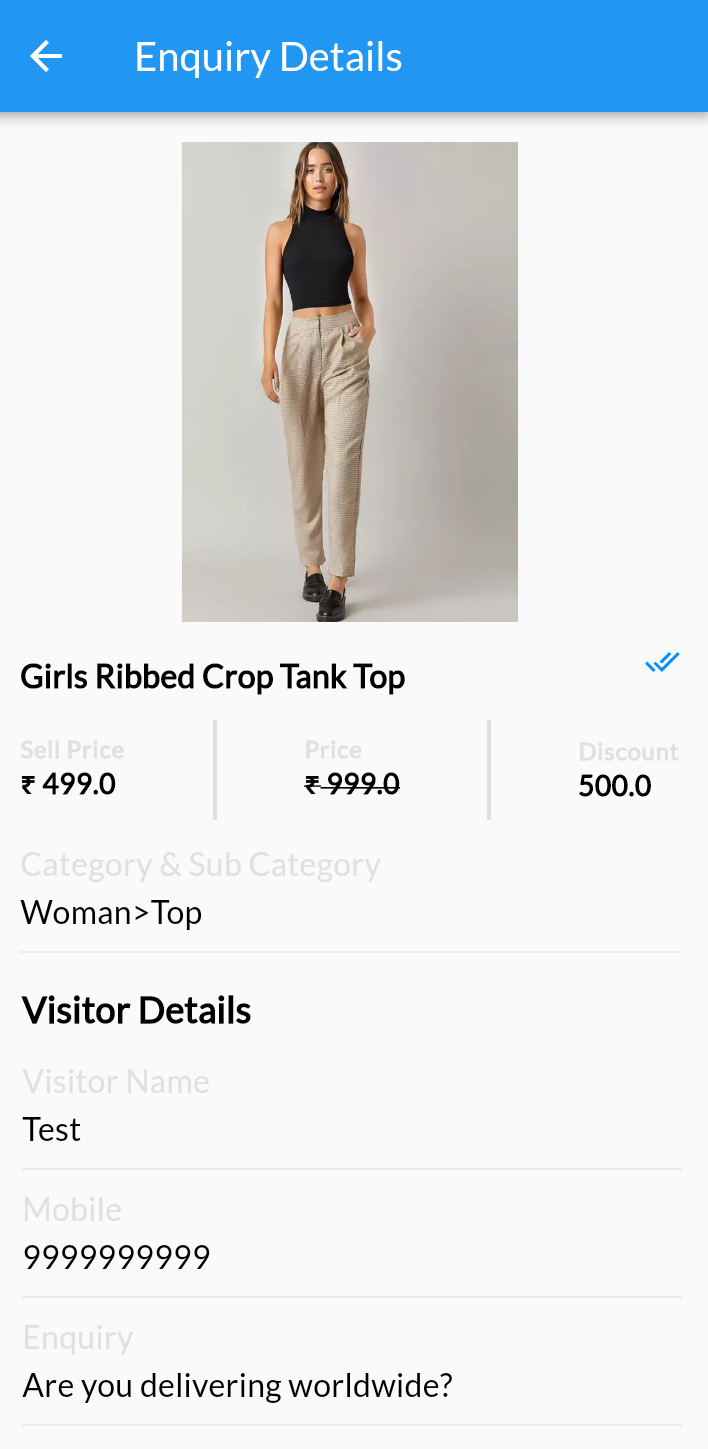
MoreCustomersApp’s eCommerce Product Inquiry add-on allows customers to make an inquiry about a product directly from the product page. This add-on allows customers to ask questions about the products before purchase and clear any product related doubts. Admin gets all inquiries on their store admin panel.
Learn How to Add eCommerce Product Here – >
How to Enable Product Inquiry Add On # Copy URL
Desktop
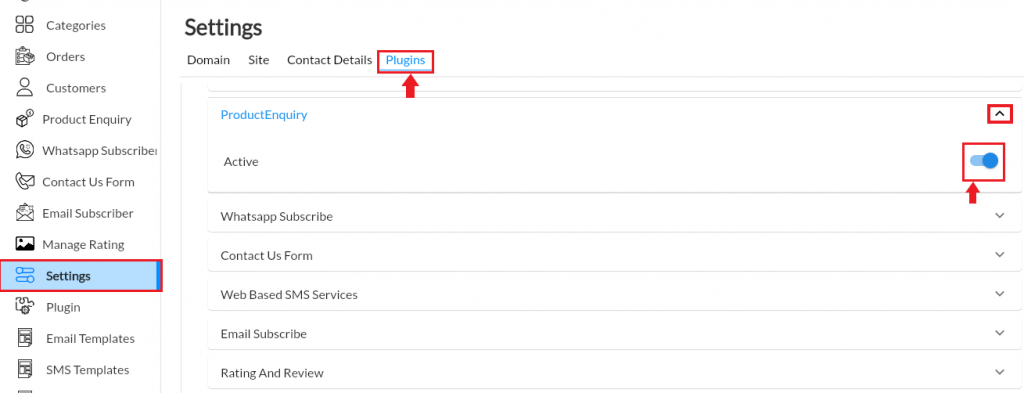
1. From your MoreCustomersApp admin panel , select Settings.
2. Click on Plugins and tap on Product enquiry
3. Click on Active.
Android
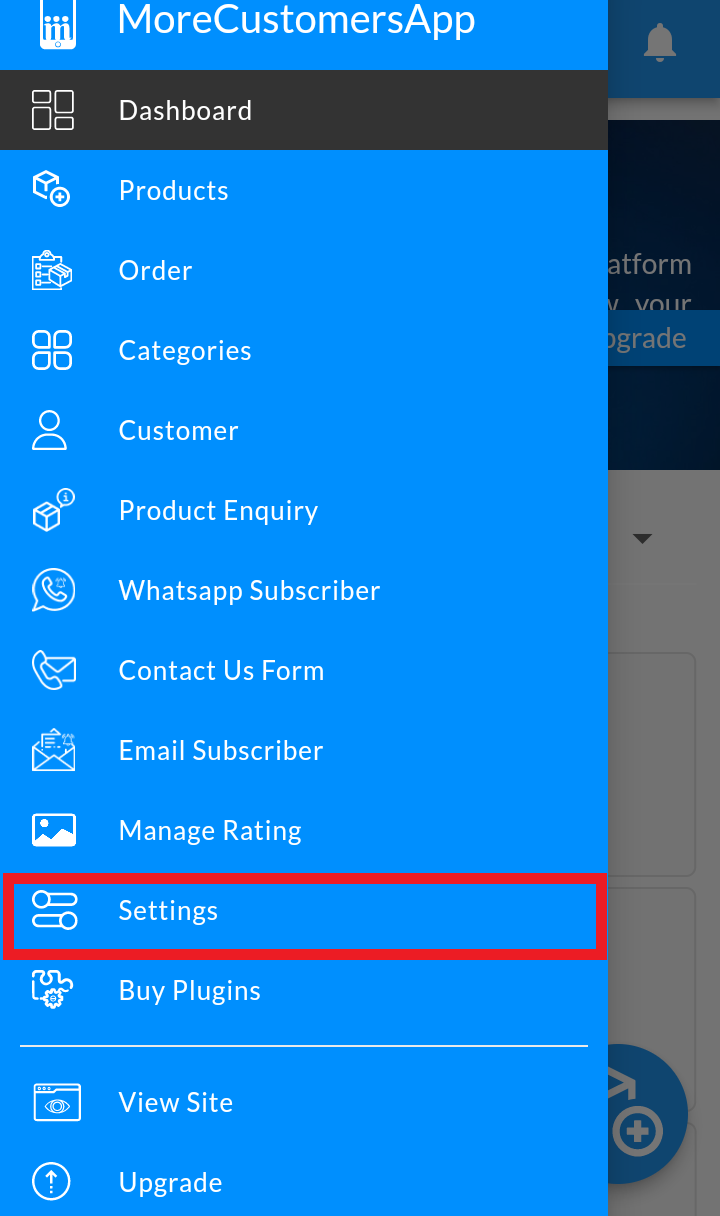
1. Login in to MCA Admin App
2. Click on  , and select Settings
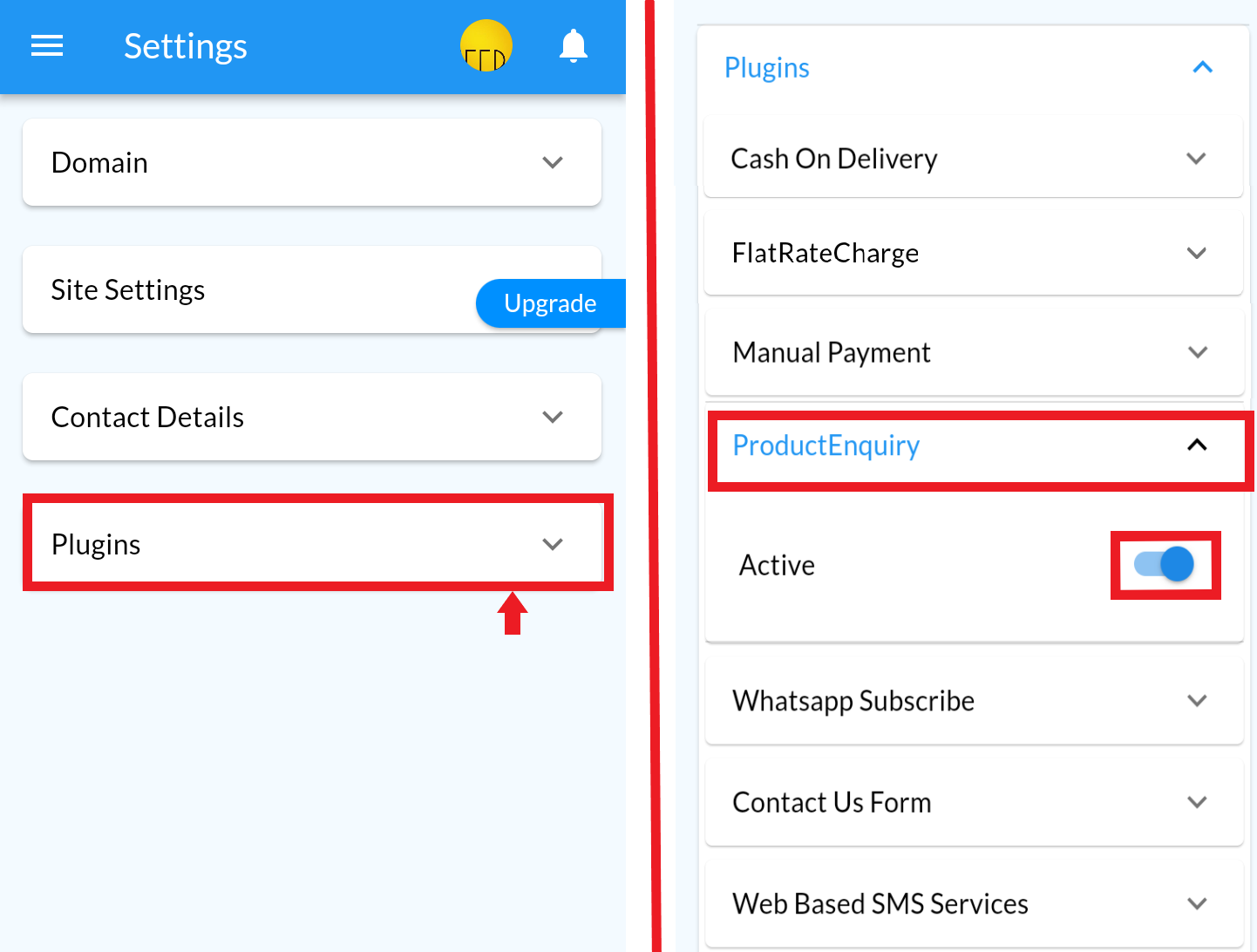
3. Click on Plugins and enable Product Inquiry.
How to Receive Product Inquiry #
Once you have enable product inquiry extension from your store admin panel, your storefront visitor can easily inquire you about your products either from product list or detail page.
- Visitor will visit your website
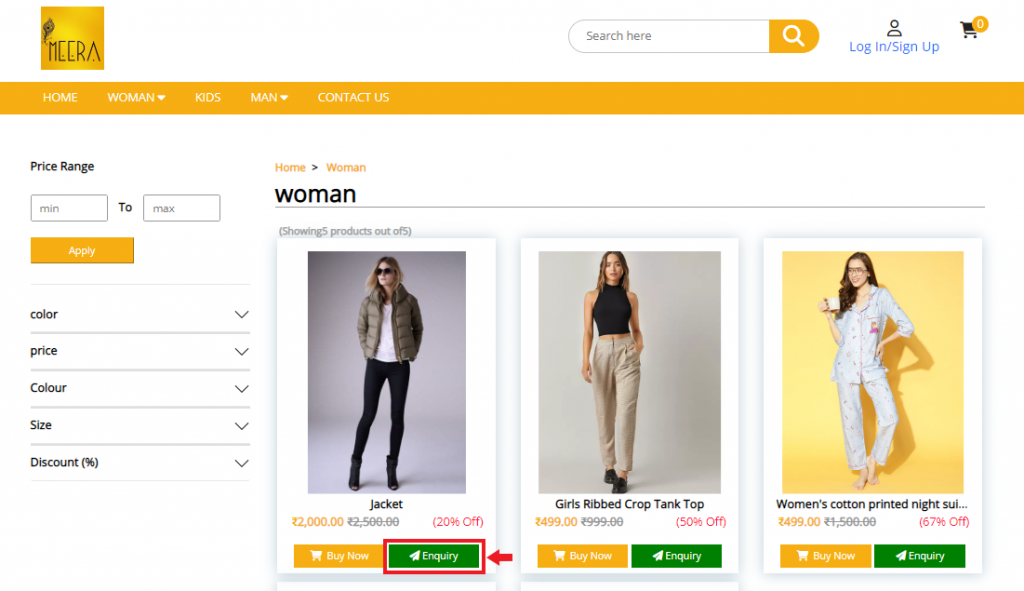
- They can either click on Product Inquiry button on product list page and fill up the inquiry form
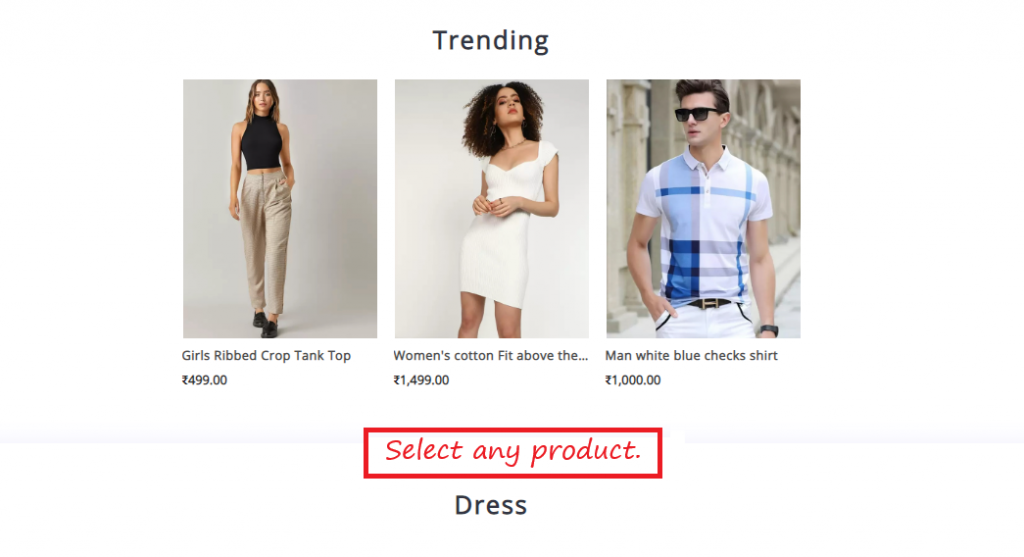
- Or they can click on any product they have inquiry.
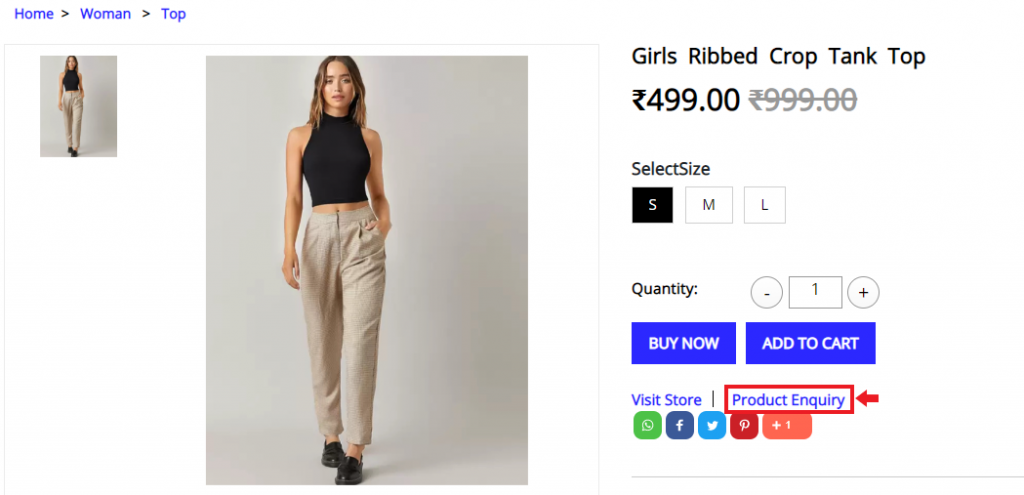
- Click on Product Inquiry Link Button
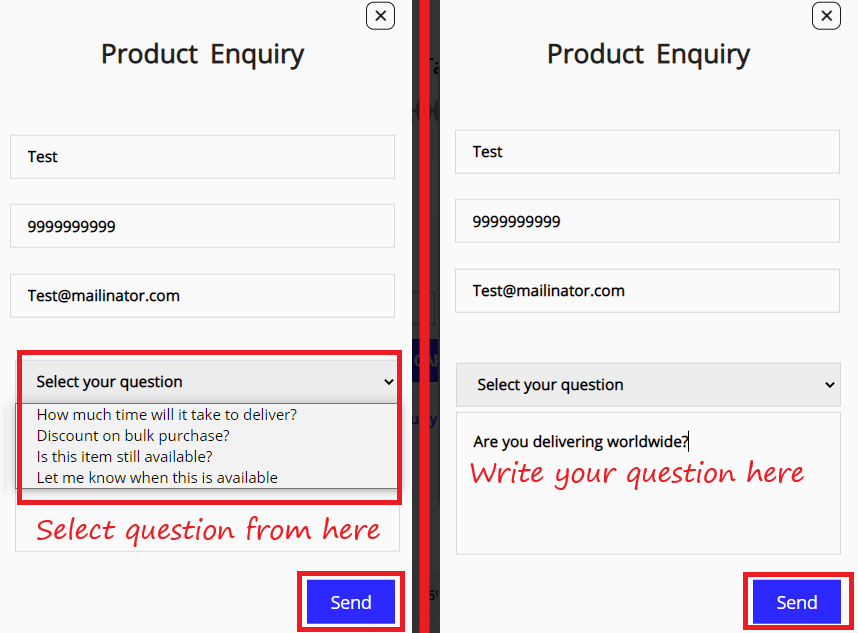
- Add details like Name, number, email and either select preset of question or any query of your on in popup form and click on Send button.
How to Manage Product Inquiry #
Desktop
1. From your MoreCustomersApp admin panel , select Product enquiry.
2. You will see the list of Inquiries received on your storefront
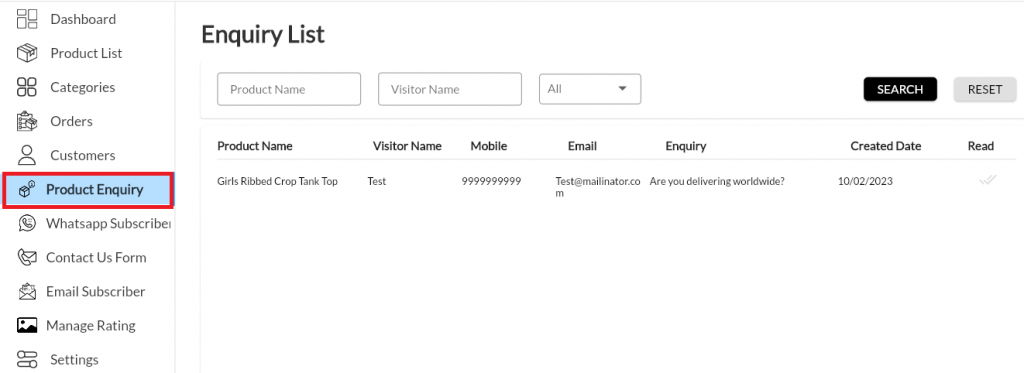
3. To view the inquiry, click on any of the inquiry received in list. It will take you to inquiry detail page giving all information like inquiry received for which product, what is the question of visitor.
4. You can revert back either through WhatsApp or Email by clicking on respective buttons in detail page. 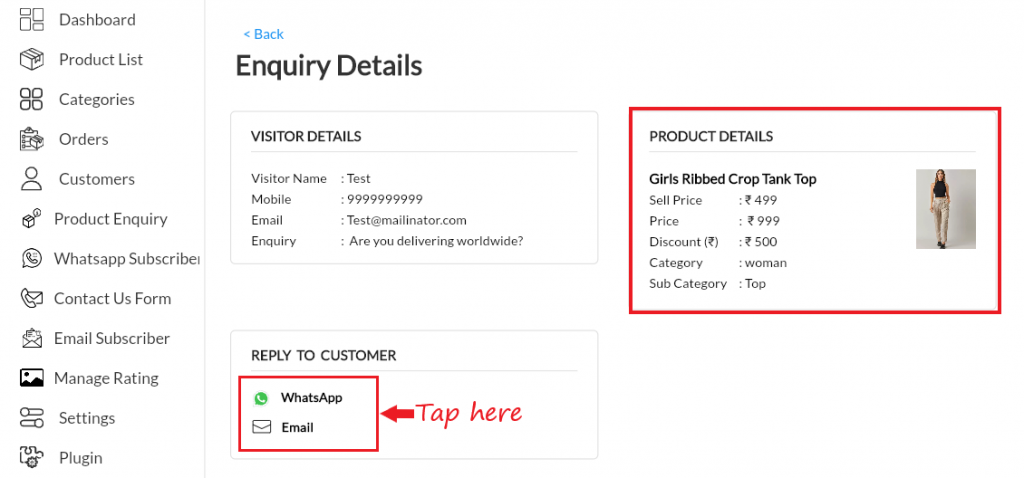
Android
1. Login in to MCA Admin App
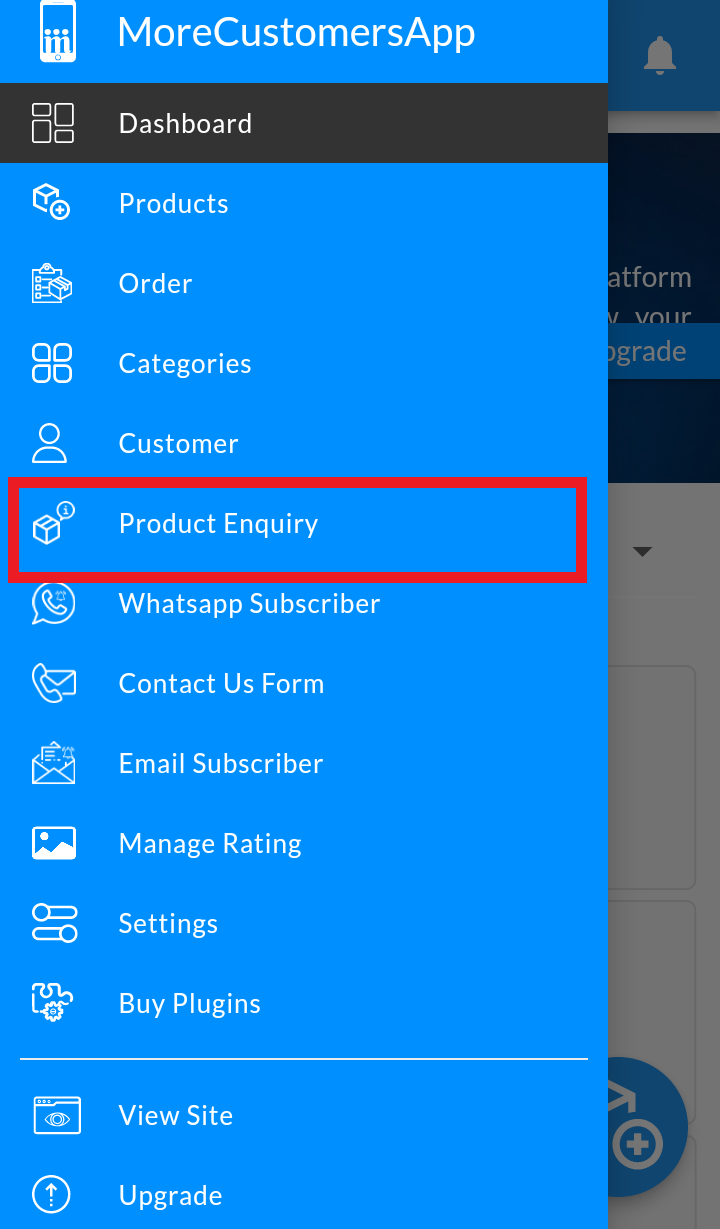
2. Click on , and select Product Inquiry.
3. List of Product Inquiries
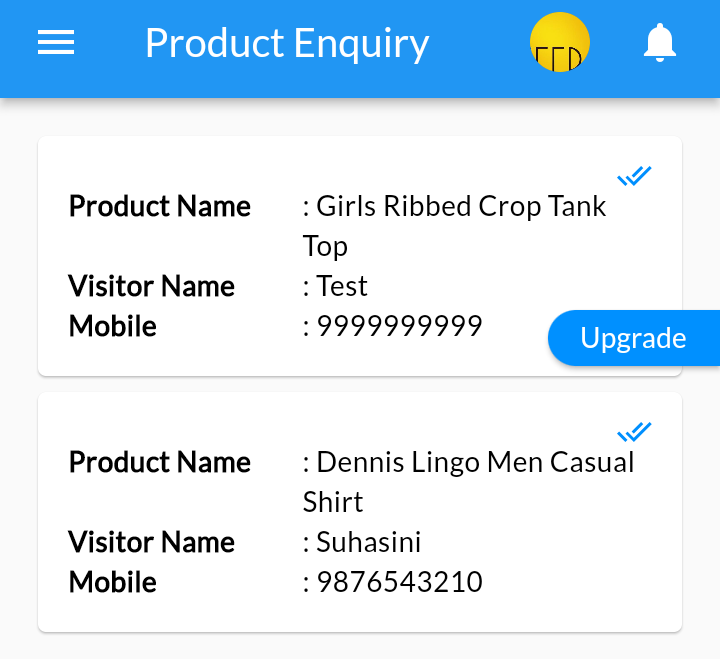
4. Click on any inquiry to got more info about that inquiry.