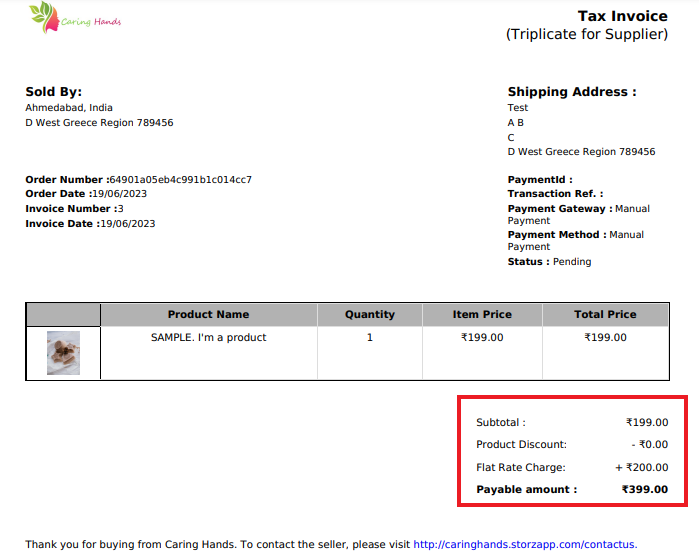
Managing taxes manually can be very daunting. MoreCustomersApp Sales Tax Plugin automates the whole process of taxation and make it easy for store owners to get all tax report at one place. Whether it is Sales tax or Shipping tax, MoreCustomersApp got you covered. Simple Settings and you are all set.
Note: Currently we support India Tax only
Enable Taxation Management Plugin #
Desktop
1. From your MoreCustomersApp admin panel , select Plugins

2. You can search plugin by name, or category.
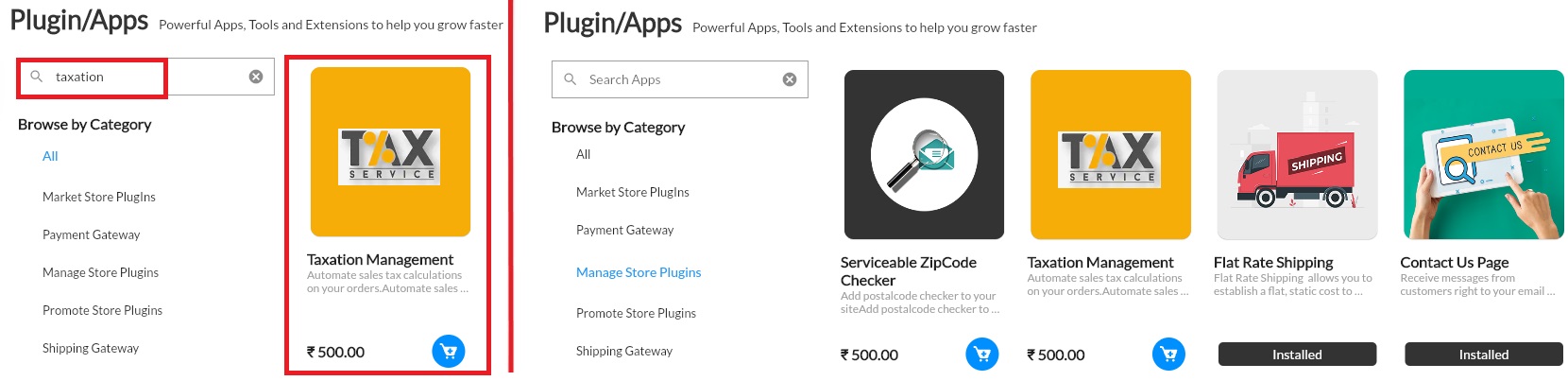
3. After select that plugin, click on Buy now.

4. Now go to Settings, click on Plugins, Enable that plugin.
5. Add details and Tax as per your T&C. Click on Update.
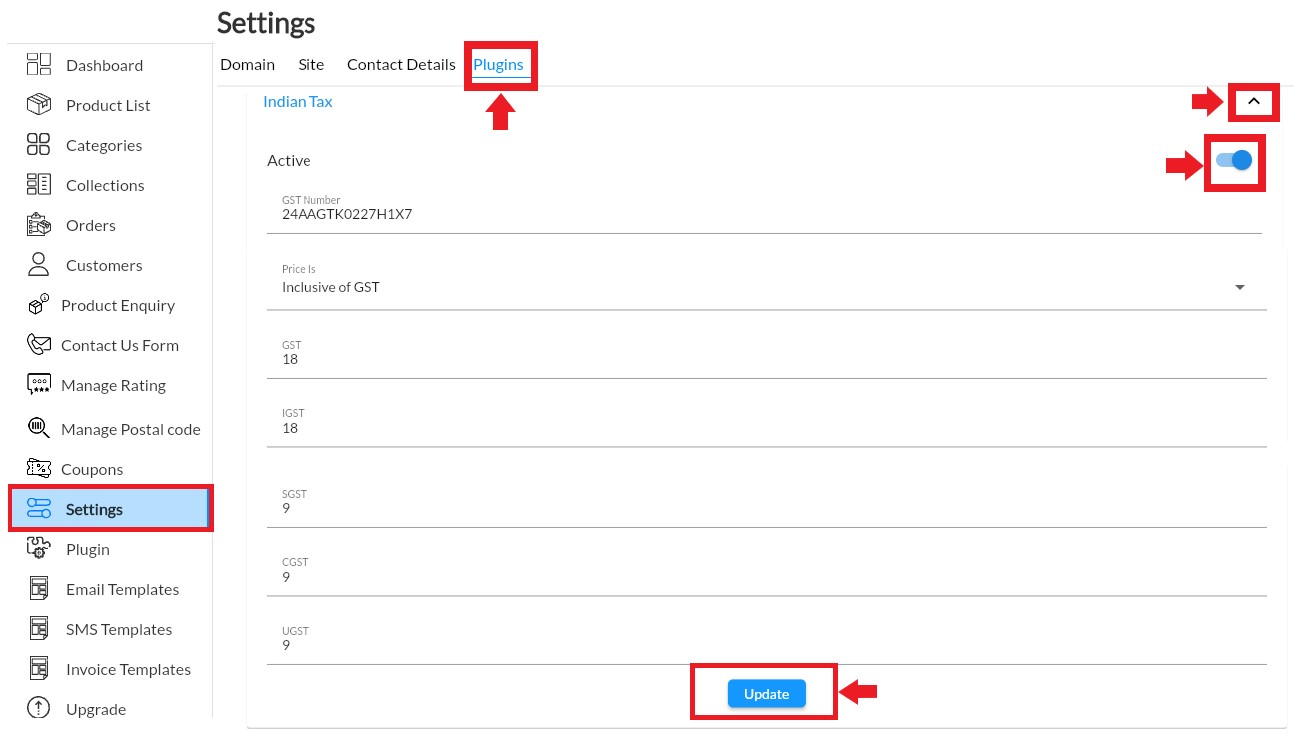
6. System will detect tax on checkout page automatically.
View Taxes applied on Store Front #
1. Go on to Store Front, and purchase any product, view the Checkout page. If taxes are enabled it will reflect on checkout page and also in Order Invoice
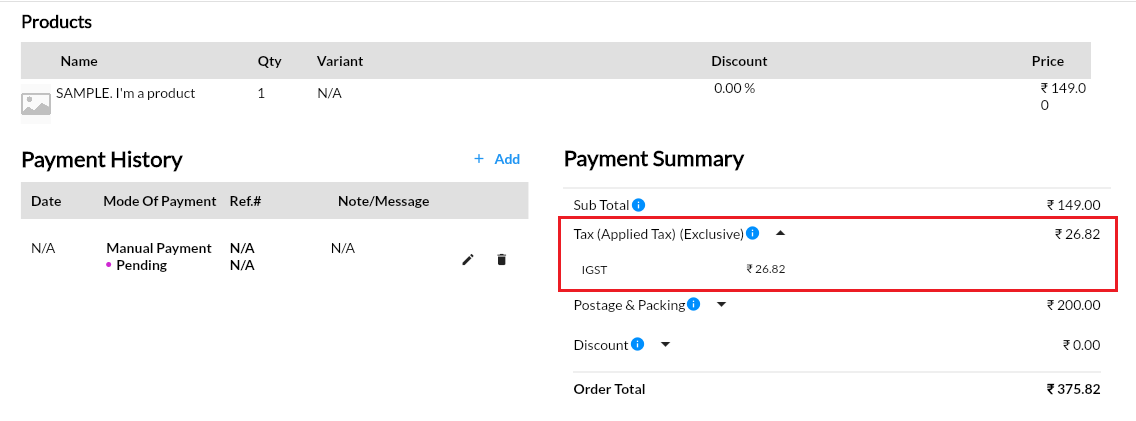
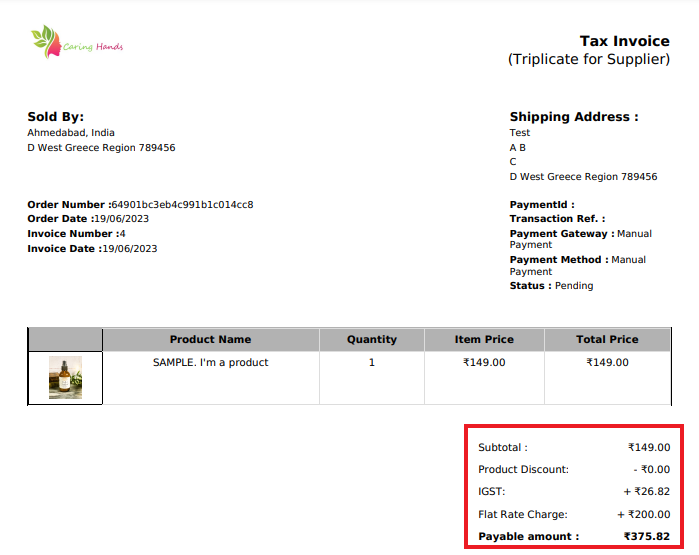
2. If Tax plugin is enabled, but no data added, than accordingly it will show on Checkout page. Note: If Tax plugin is not purchased by store owner, then there is no data added.