Scheduled Delivery allows you to choose a date and time convenient to you for delivery. This means you don’t have to worry about the product reaching home while you’re not present. MoreCustomersApp allows it’s Store owners to provide that feature to their Online store. This kind of feature is generally preferable for Grocery or SuperMarket kind of business, where they deliver many products on day to day basis. MoreCustomersApp Schedule Delivery Order Plugin helps in such kind of businesses.
How to Enable Schedule Delivery Order Plugin #
Desktop
1. From your MoreCustomersApp admin panel, select Plugins

2. You can search plugin by name, or category.
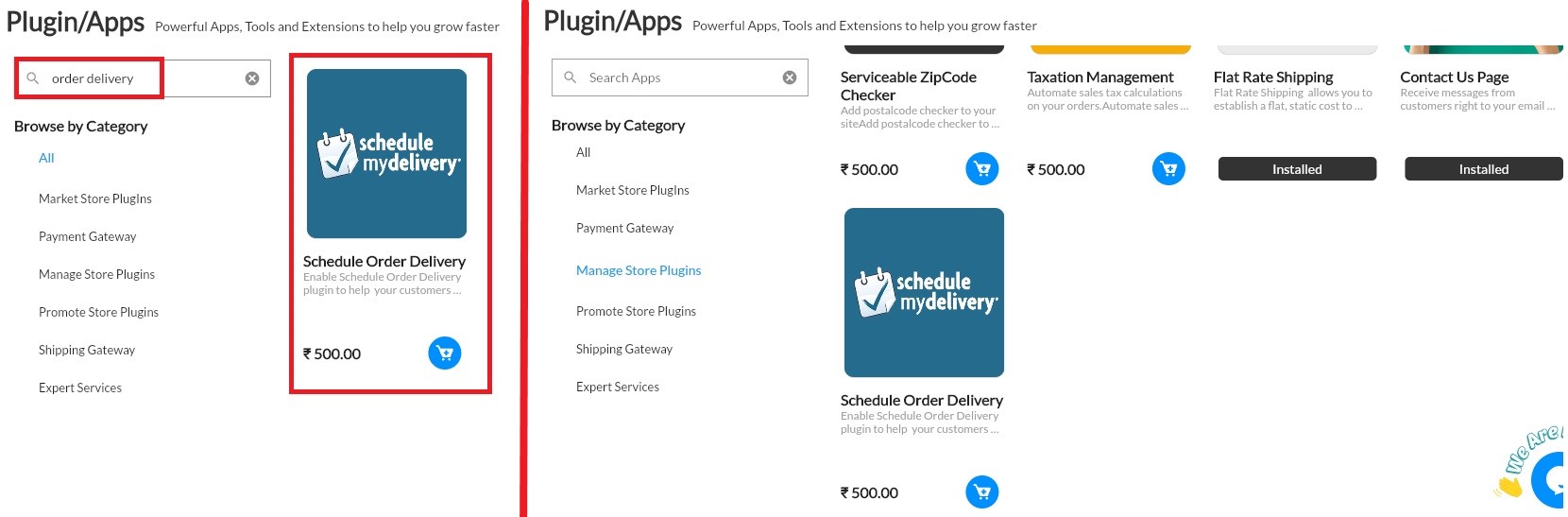
3. After select that plugin, click on Buy now.

How to do settings for Schedule Delivery #
Dekstop
1. From your MoreCustomersApp admin panel , Go to Settings
2. Click on Plugins, enable Schedule order Delivery Plugin. And set day as your preference.
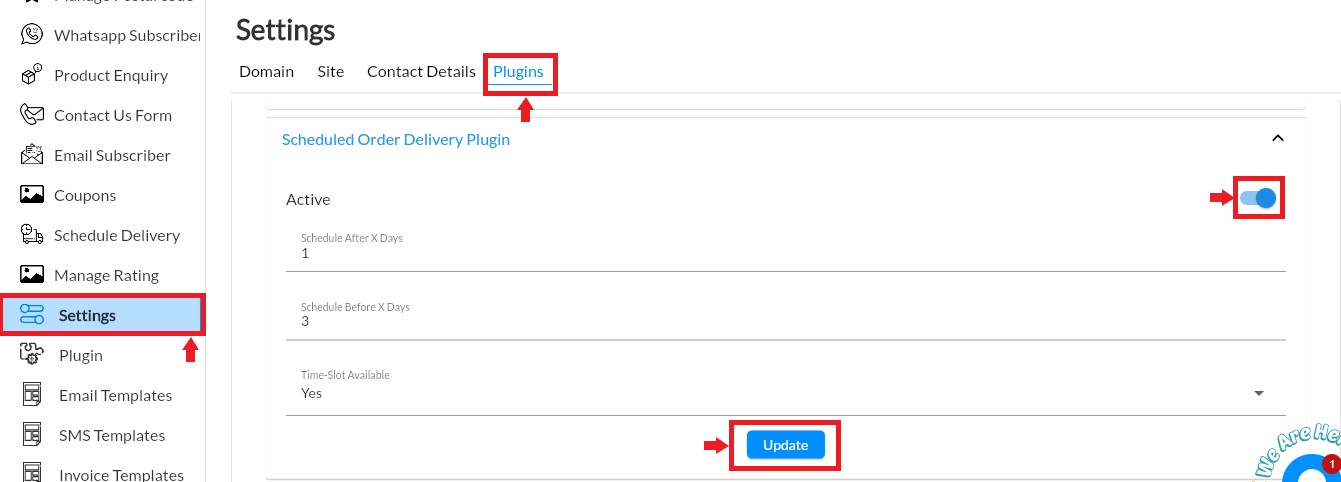
3. Schedule after X days is after how many days you can deliver the order. Schedule before x days is before how many days you want to deliver the order and If you want your customer to schedule according time then select yes to time slot available.
4. As you purchase and activate the plugin it will be seen in main menu.
5. Now select Schedule Delivery and Add day and time as per your suitable time.

6. Your buyers can schedule their delivery according to your setting here.
How Schedule Delivery Works on Store front #