MoreCustomersApp’s Contact Us Form on front site, helps sellers gather online inquiry from their site visitors. Contact Us page on website is a place where site visitors would not only contact site owners, but can also send their query.
Activate Contact Us Page Plugin #
Before you gather Contact Us form inquiries, you need to install and activate plugin
1. From your MoreCustomersApp admin panel , go to Plugins
2. Select Manage Store Plugins, Click on Contact Us Page Plugin and Install it.
3. Go to Settings>Plugins and Activate Contact Us Form Plugin
Learn How to SetUp Contact Us page on your Online Store
Add Contact Us Form Inquiries #
1. From your website,click on Contact Us.
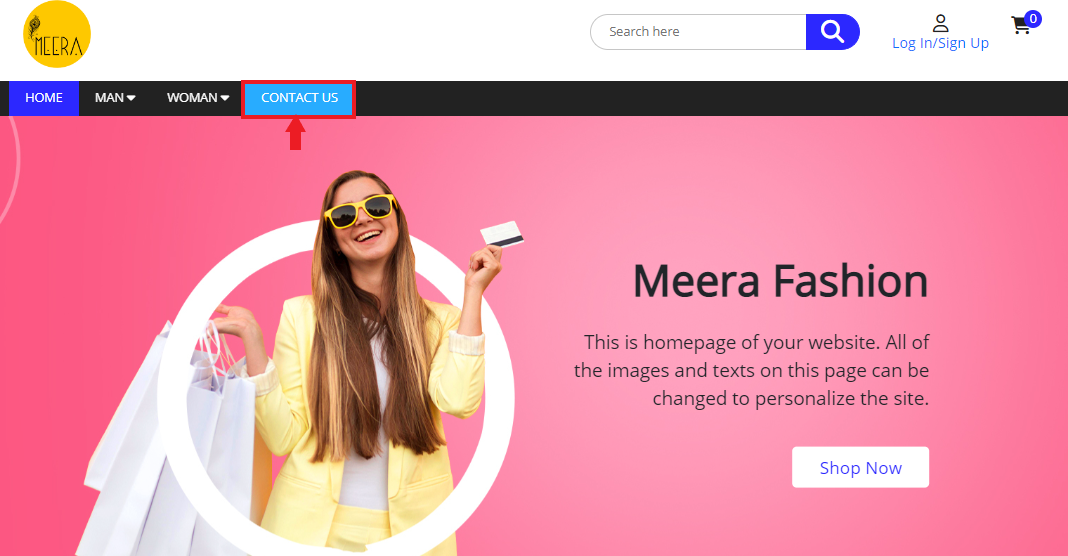
2. Add Details and Click on Submit

Manage Contact Us Form Inquiries #
Desktop
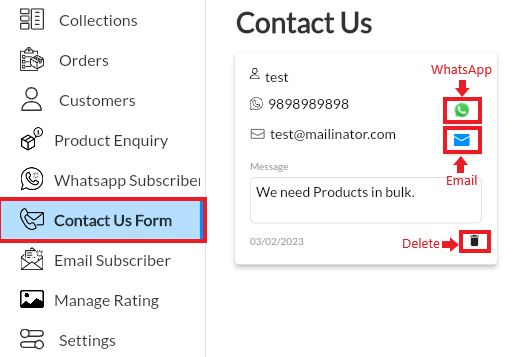
1. From your MoreCustomersApp admin panel , select Contact Us Form
2. You will see the List of Inquiries. Manage Inquiries with Email, WhatsApp or Call. If you want to Delete just press Delete Icon
Android
1. Open the MCA Admin App and click on  , select Contact Us Form.

2. You can see the list of your Forms filled by customers.
3. Here, you can send whatsapp message, Email and also can delete.